
Live Radio on Website
The live radio needs to be activated before each game we have commentary and deactivated afterwards.
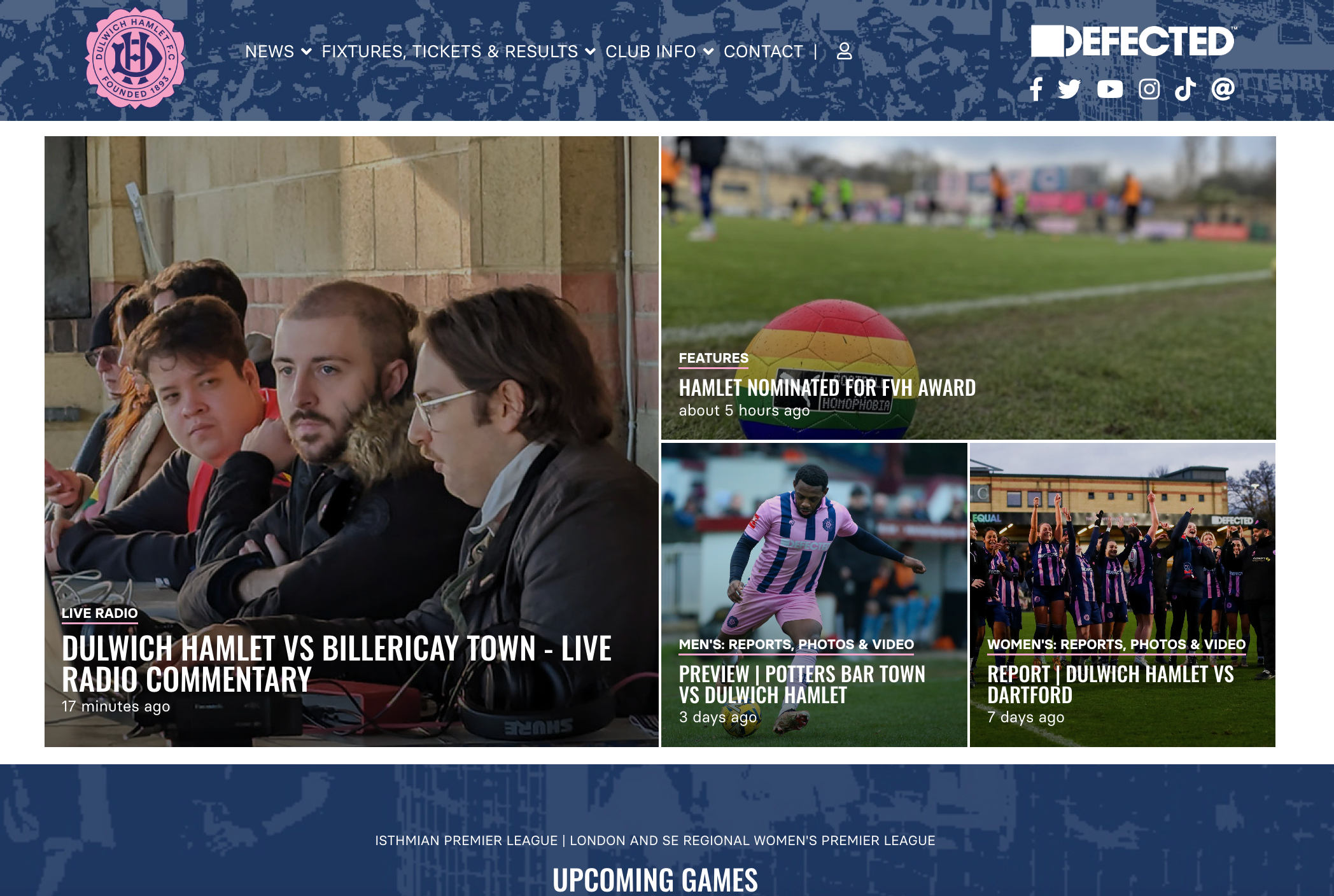
When it is activated it will appear in the big square panel on the image montage at the top of the home page.
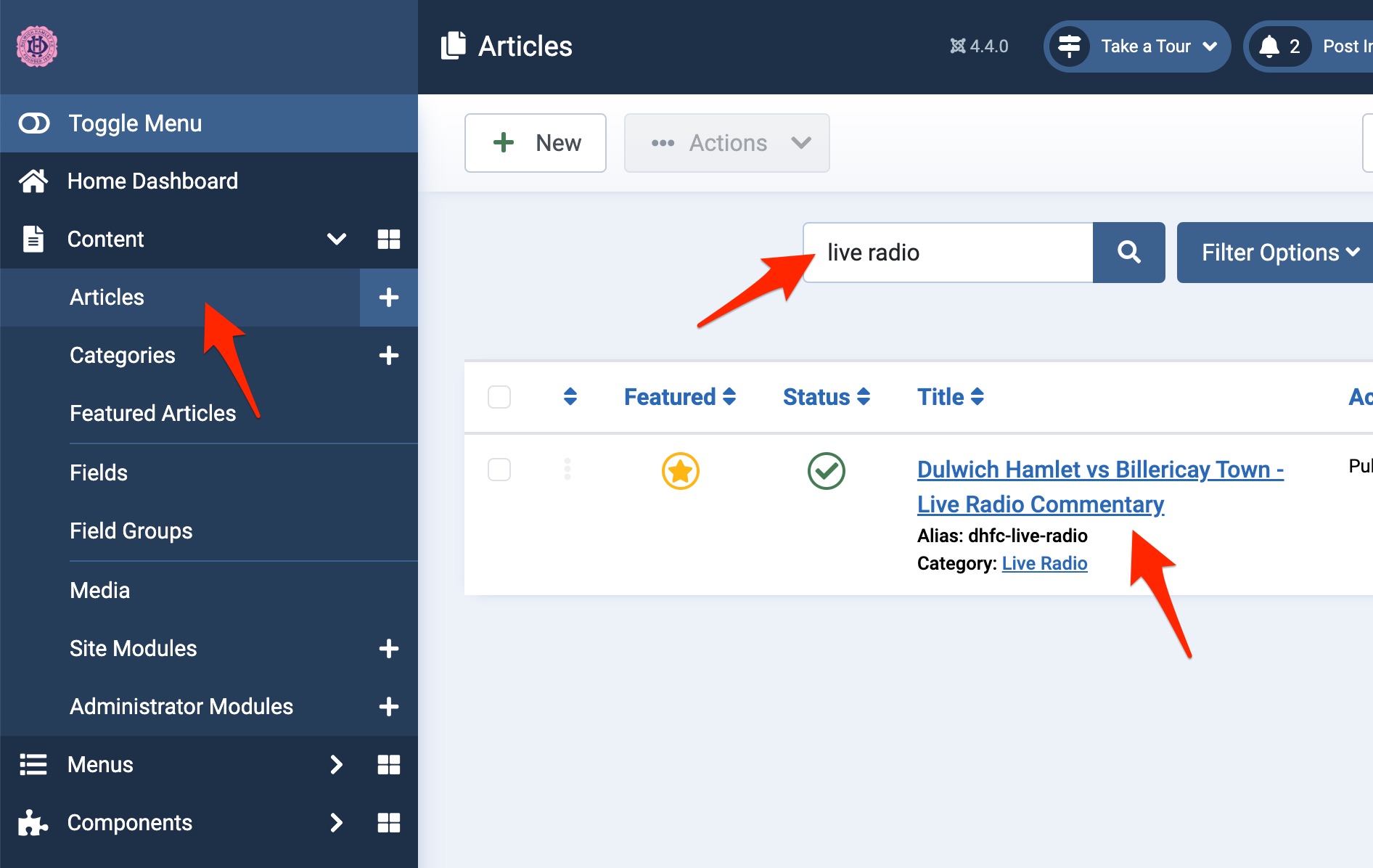
To activate the page you will need to go to articles and put 'Live Radio in filter at the top.
This will show the article in the list
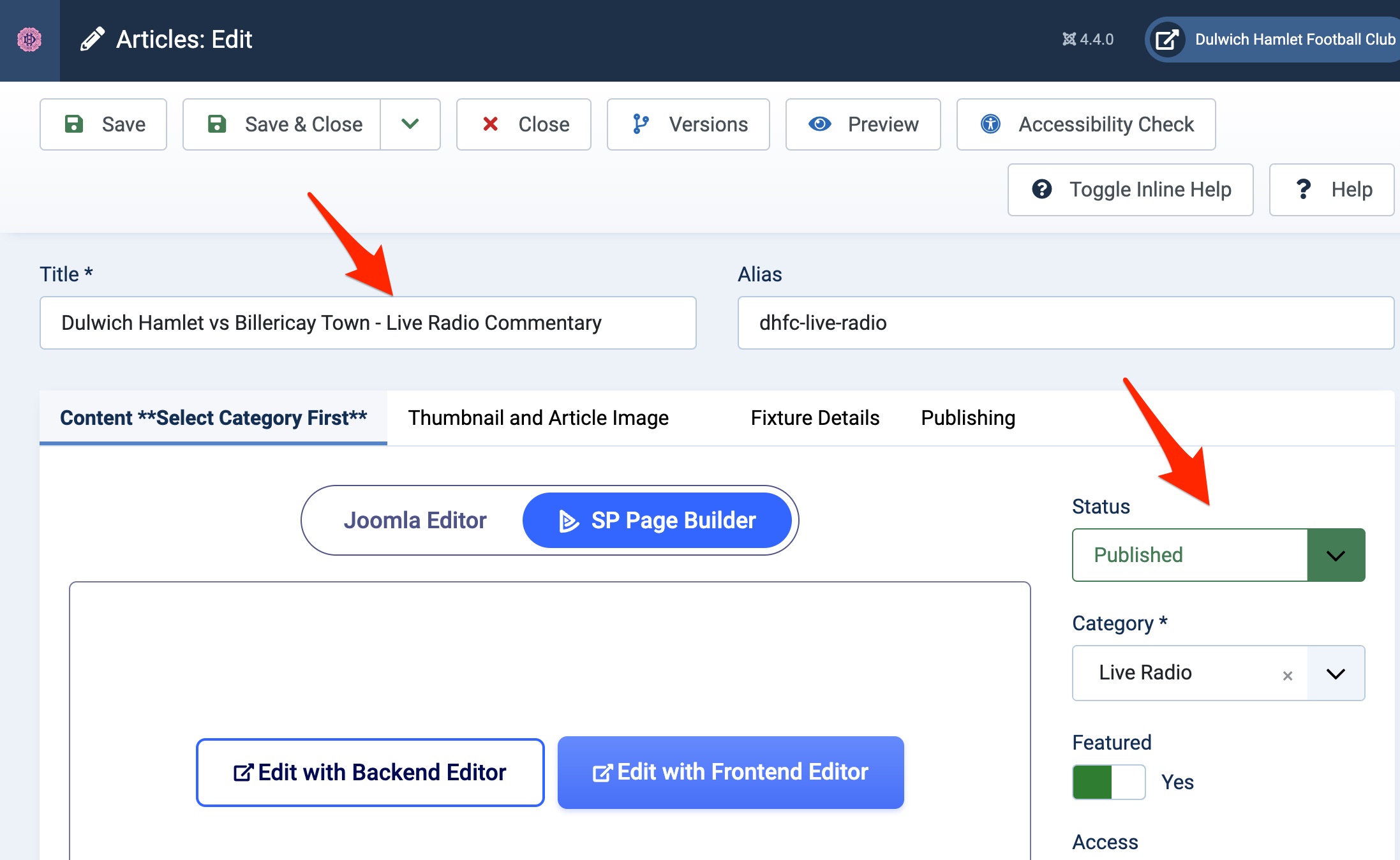
Click onto the article. We then need to update the game to the current match so change the title then change the status to 'published'. This will make it live. After the game, change the status to unpublish to take it off the front page.
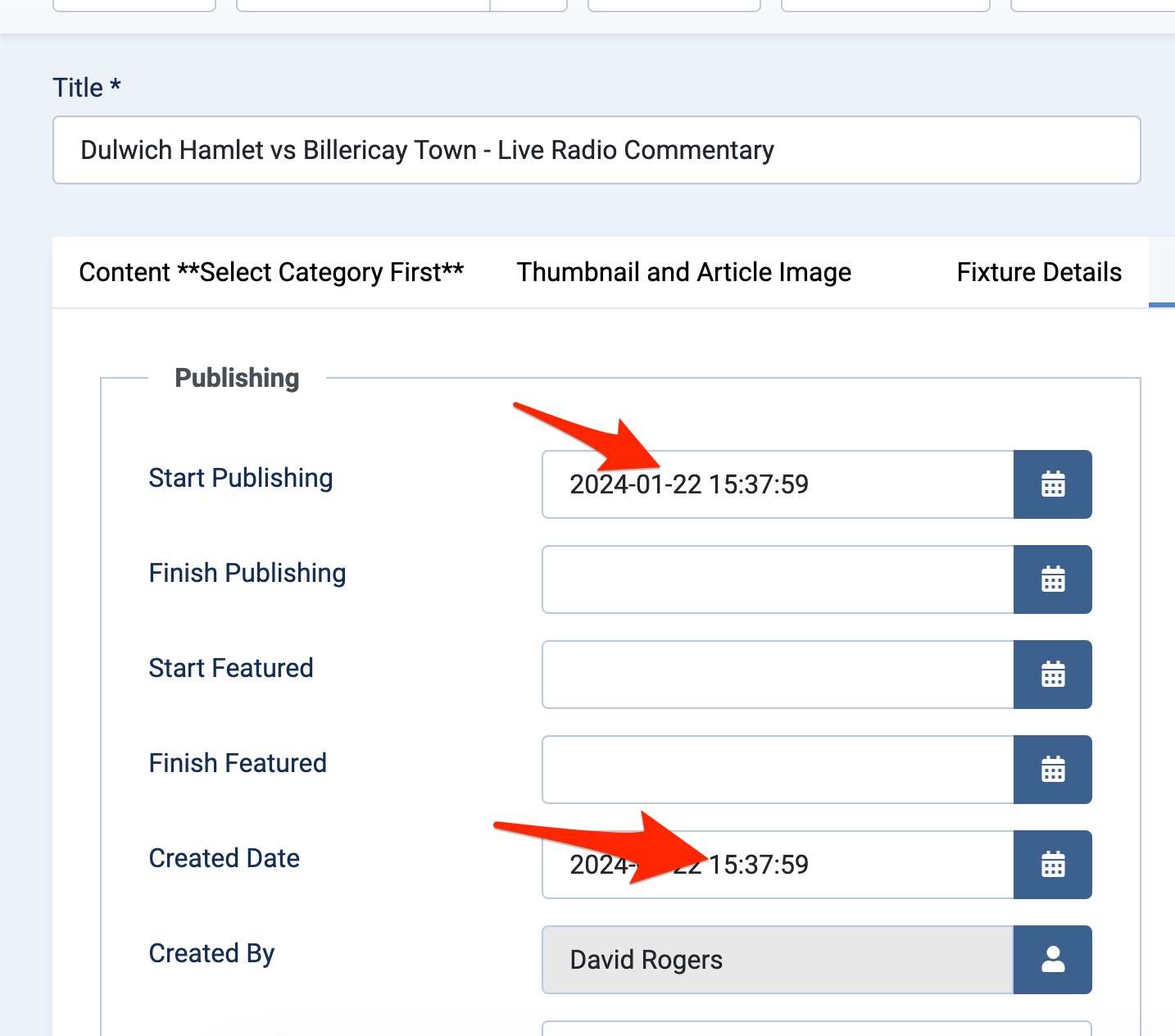
We then need to go to the 'publishing' tab and remove the dates from the boxes and click save. This will reset the article to the current date.
If you want to set all this up in advance of the match you can use the 'start publishing' and 'finish publishing' fields to automate this for you. If you want to do this you must also change the created date/time to a hour before kick off so it appears in the first square on the front end display.
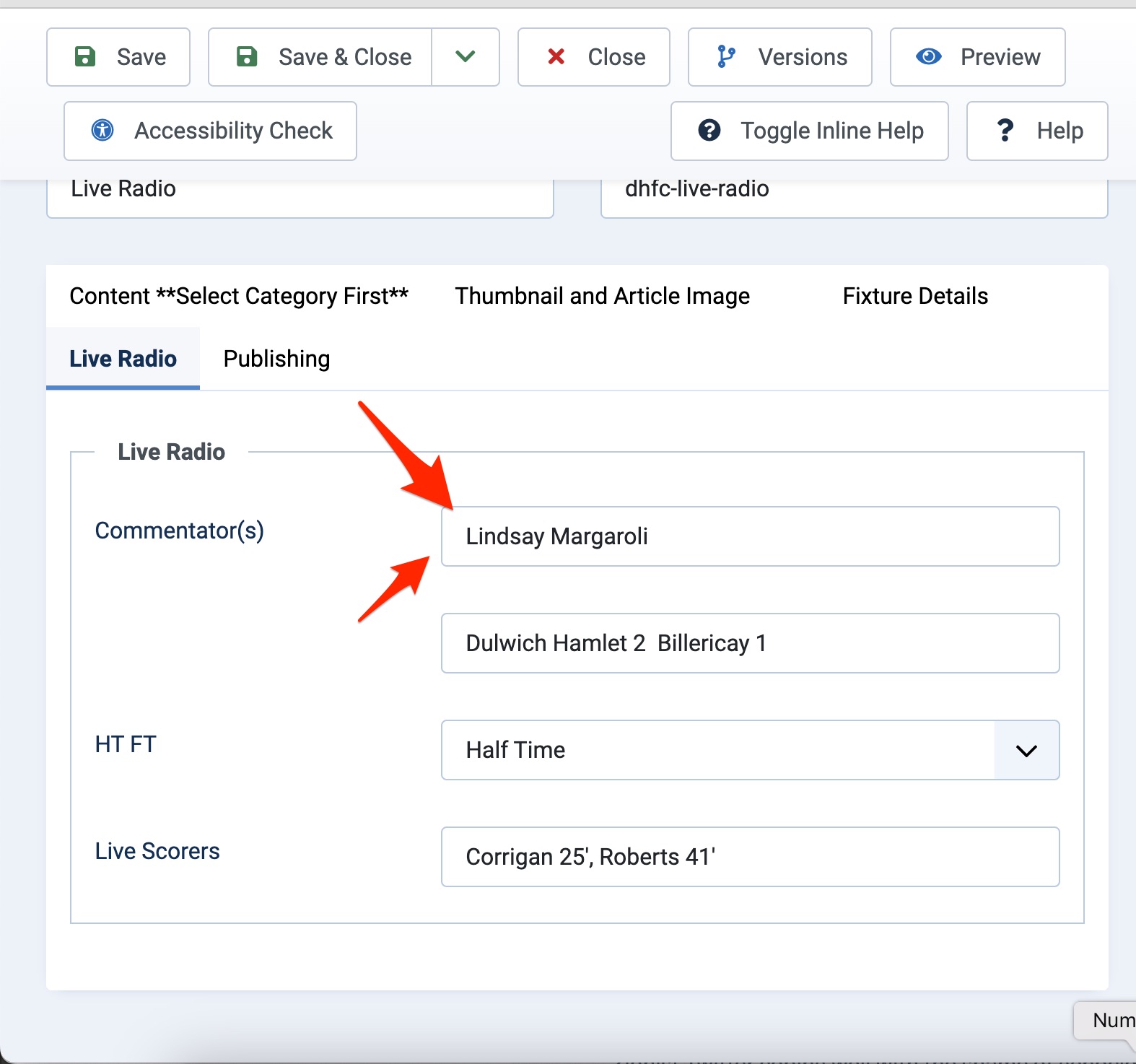
You will also need to add in the fixture and who is commentating on the day in the Live Radio tab.
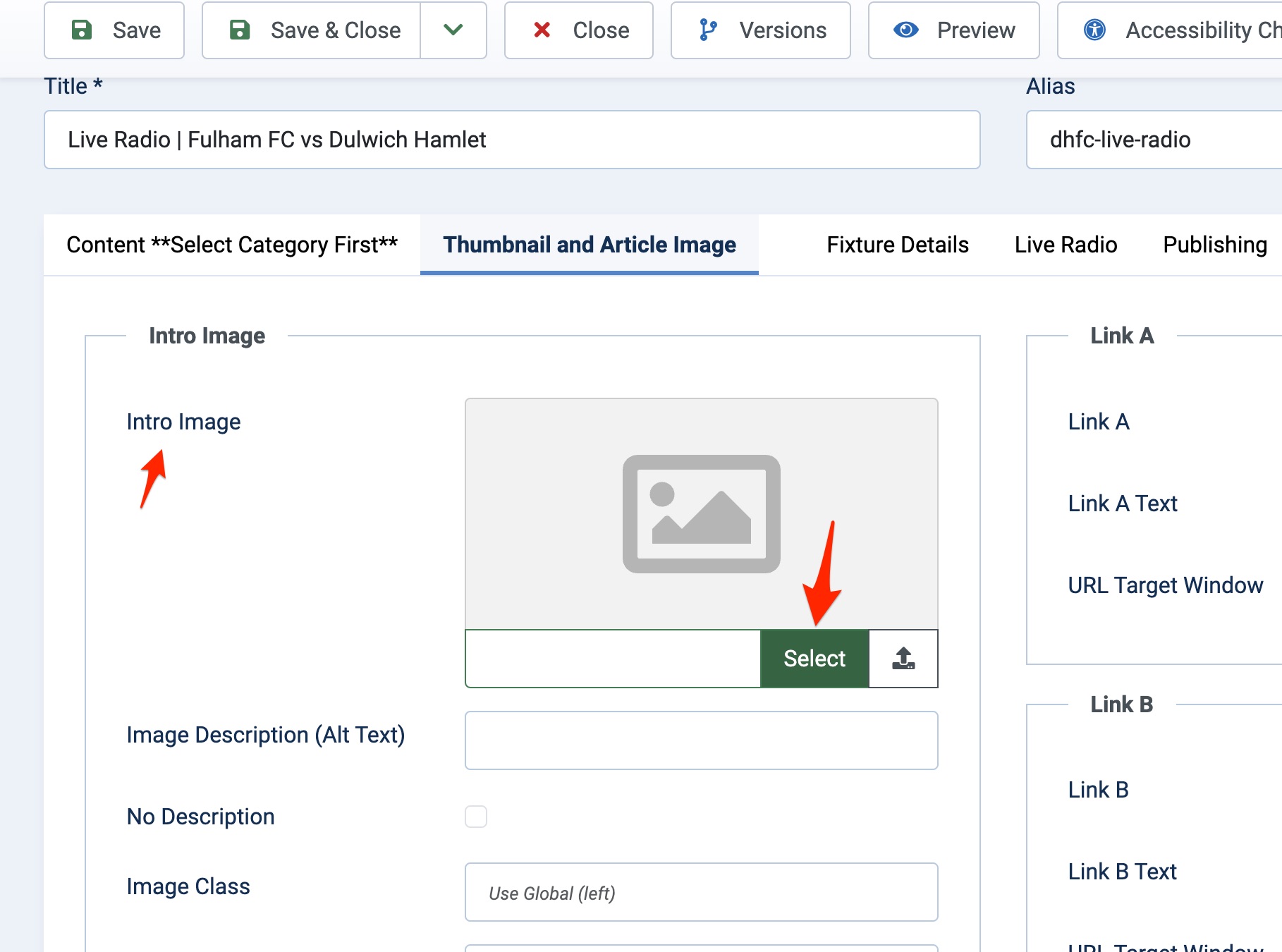
Finally you will need to change the home page image depending on whether it is a men's or women's game. Change the intro image only on this page.
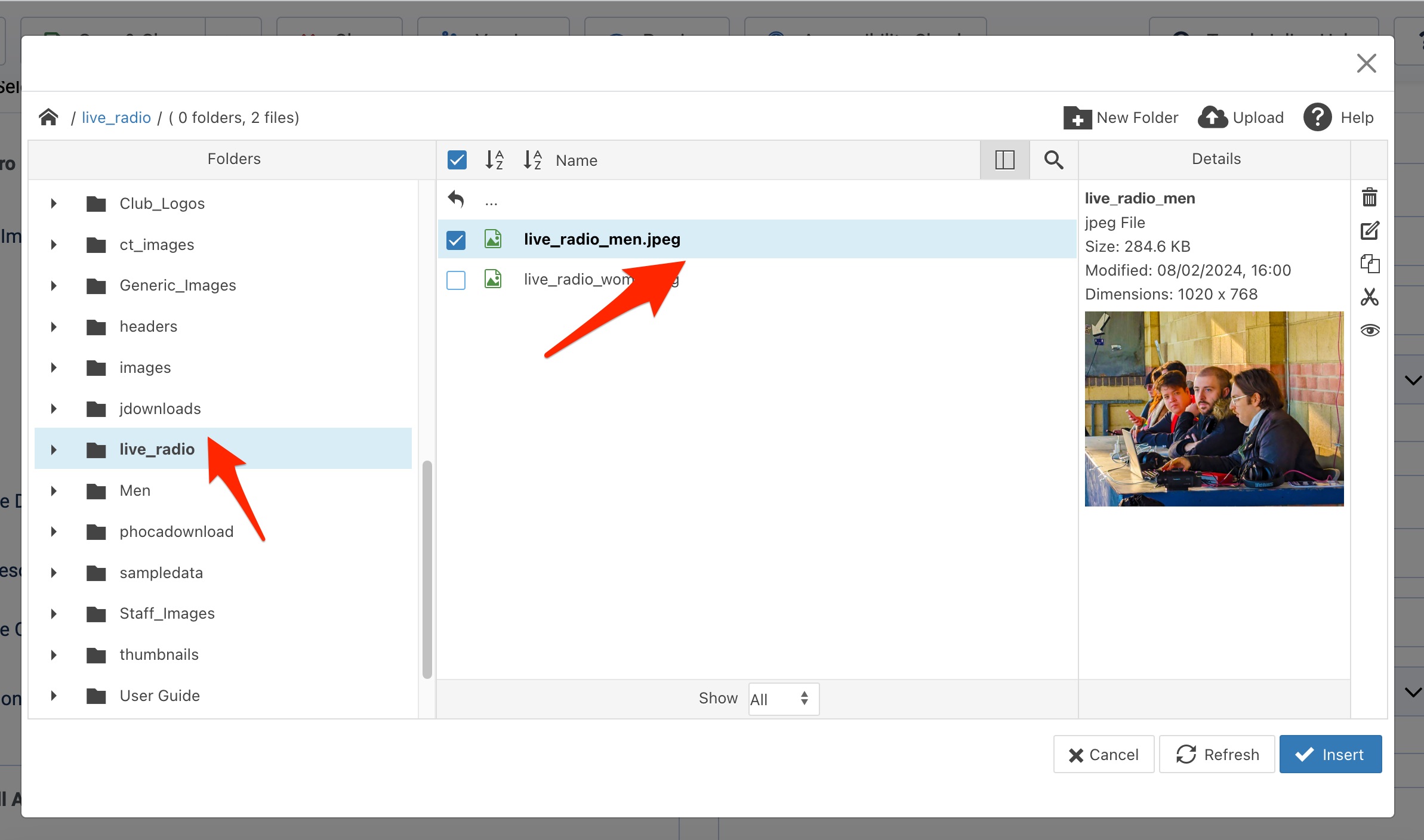
You can find the images in the live_radio folder in the images file.
Once the game is underway you can update the live scores from either your laptop on your mobile phone.
You can add the score to the fixture box , add the scorers and change the status of the game.
The following status are available:
Half Time
Full Time
Extra Time being Played
At Extra Time
Extra Time being Played
To access this from your mobile phone make sure you are logged in, find live radio on the menu, click the Live Radio tab in the article (near the bottom of the screen) and you can update the fields there.
Address
Champion Hill Stadium,
Edgar Kail Way,
East Dulwich,
London.
SE22 8BD.
