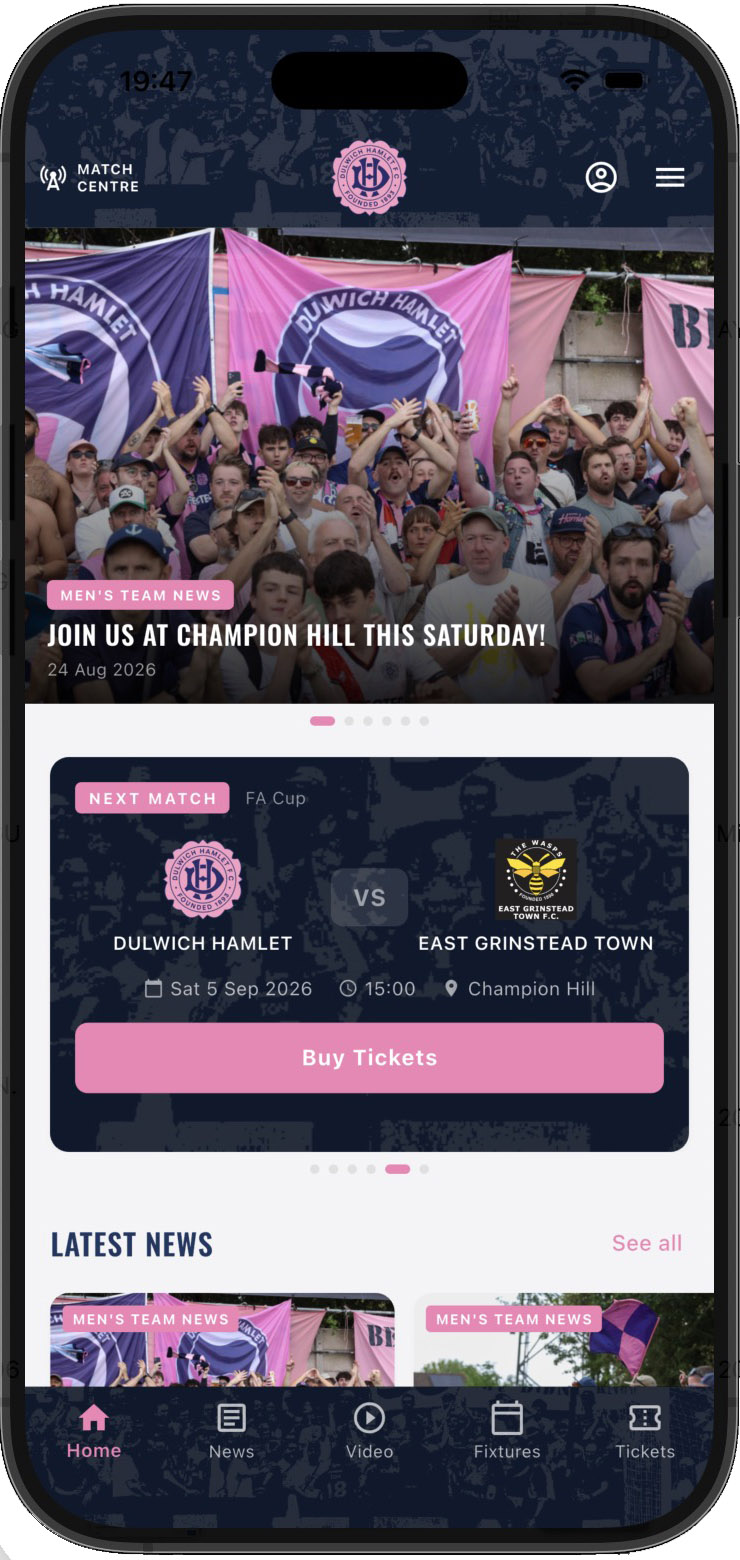


Posting a News Article
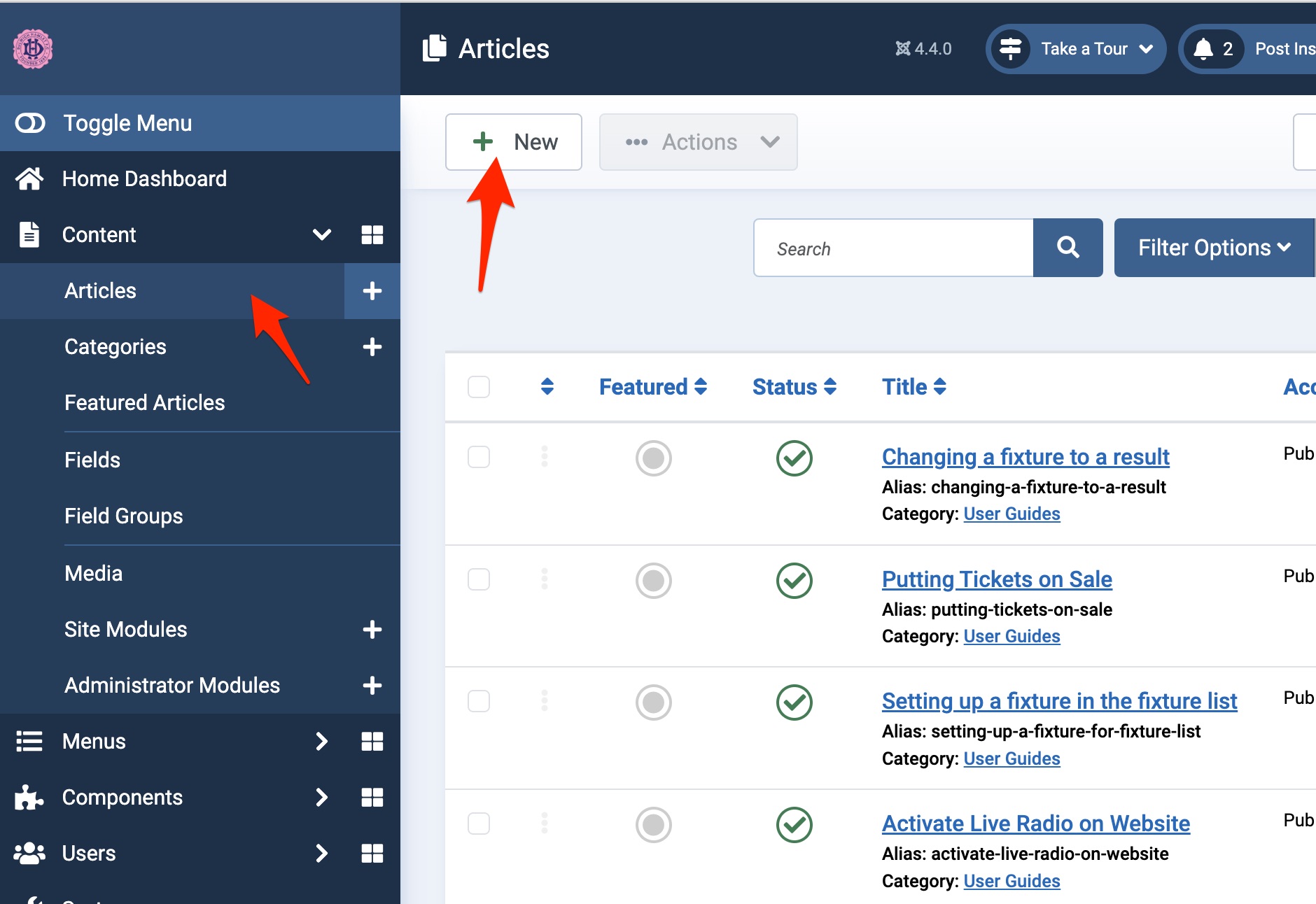
To post a news article go to articles and click 'new'.
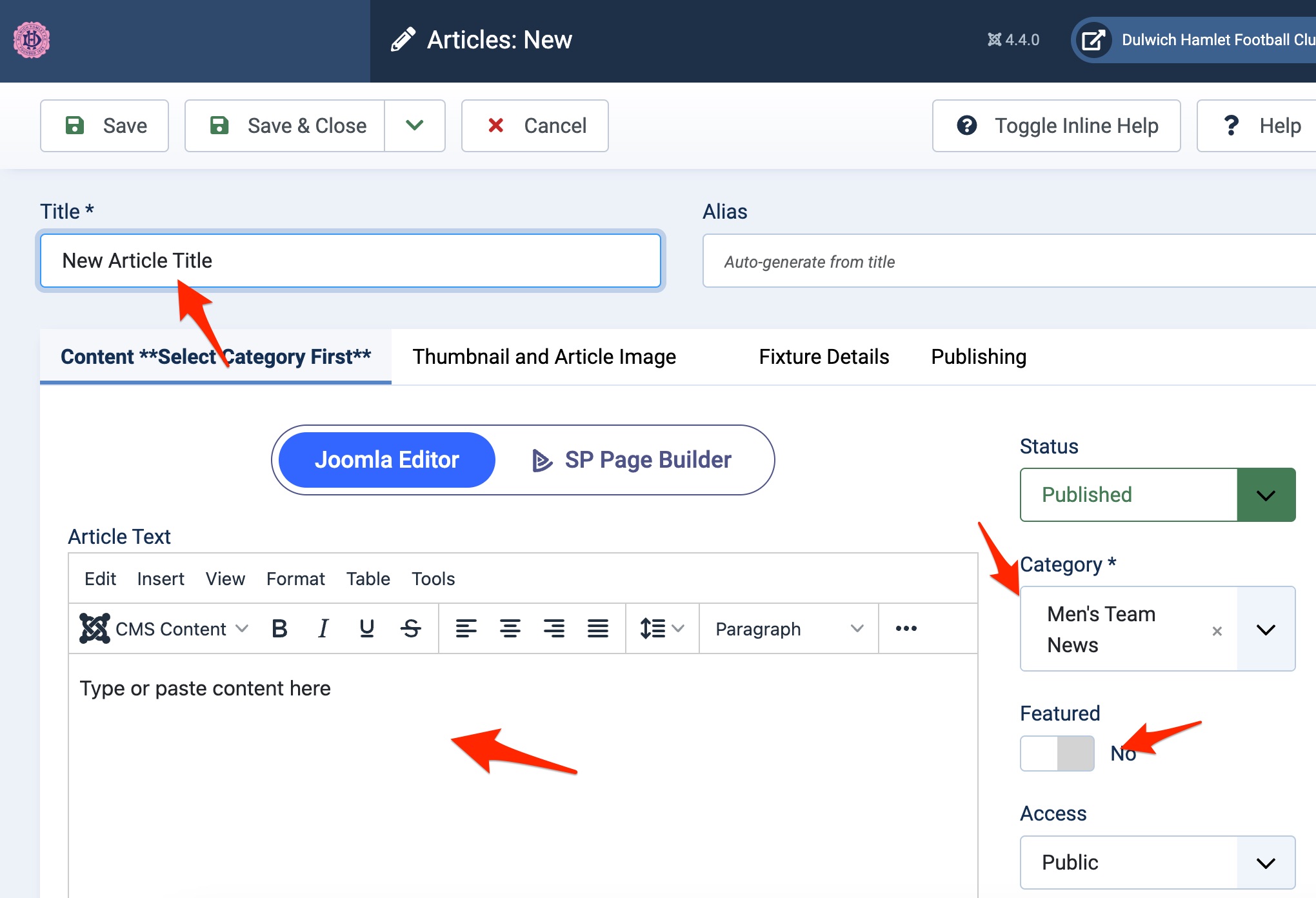
Give the article a title and slect the category for the following:
1) Men's Team News
2) Women's Team News
3) Club News
Then in the main panel enter your content and format it.
Click the 'featured' button if you wish it to appear on the front page image montage at the top.
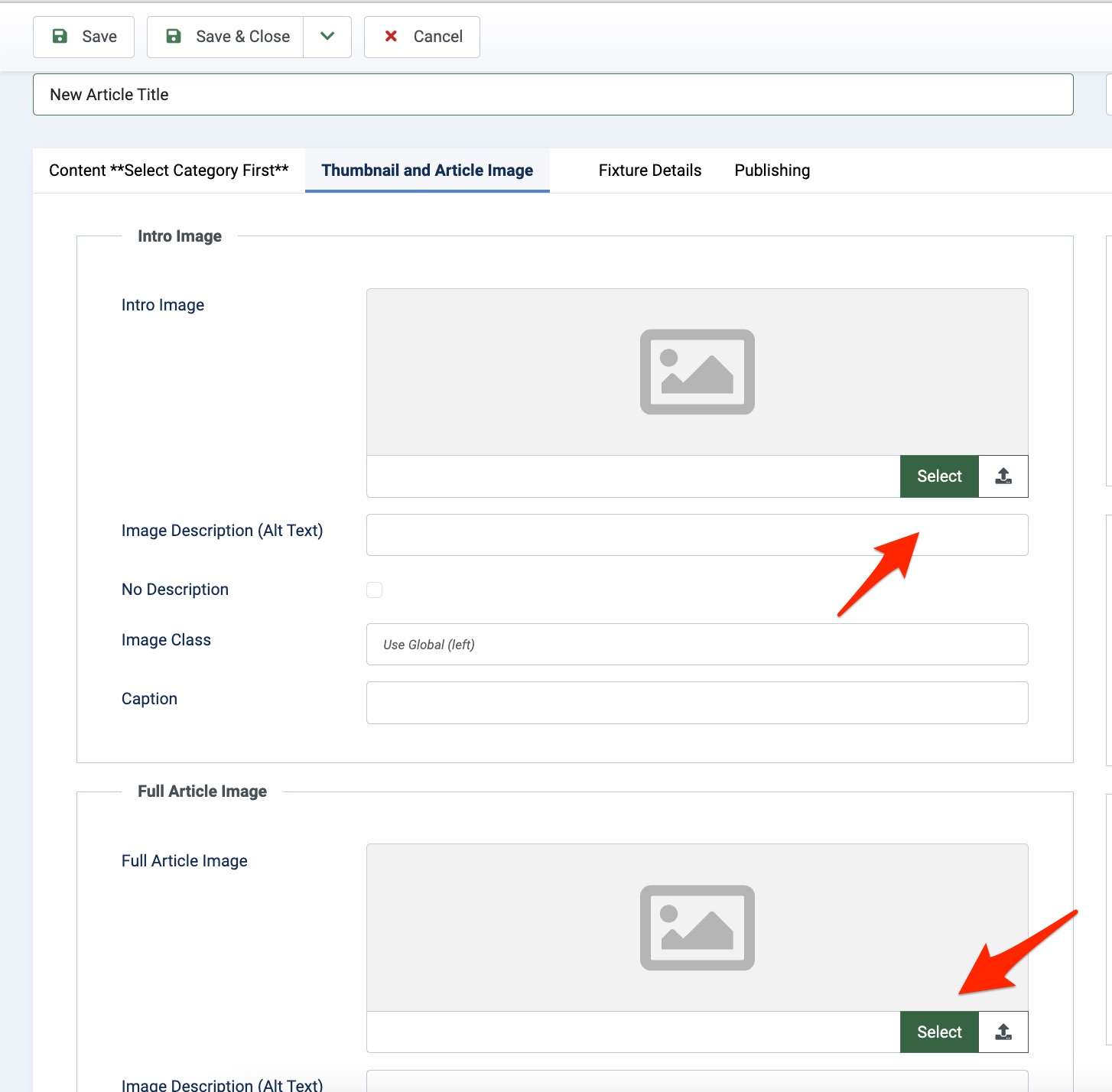
To add an image click on the Thumbnail and Article Image Tab and the click the select tab. You will need to upload the image to media manager for the first select, then for the second one you can set it from your already uploaded image in media manager. The first image is the thumbnail and the second is the image that will appear within the article.
The following screenshot is of the media manager. Please save your images in the folder year/month to keep it all tidy. Please see example.
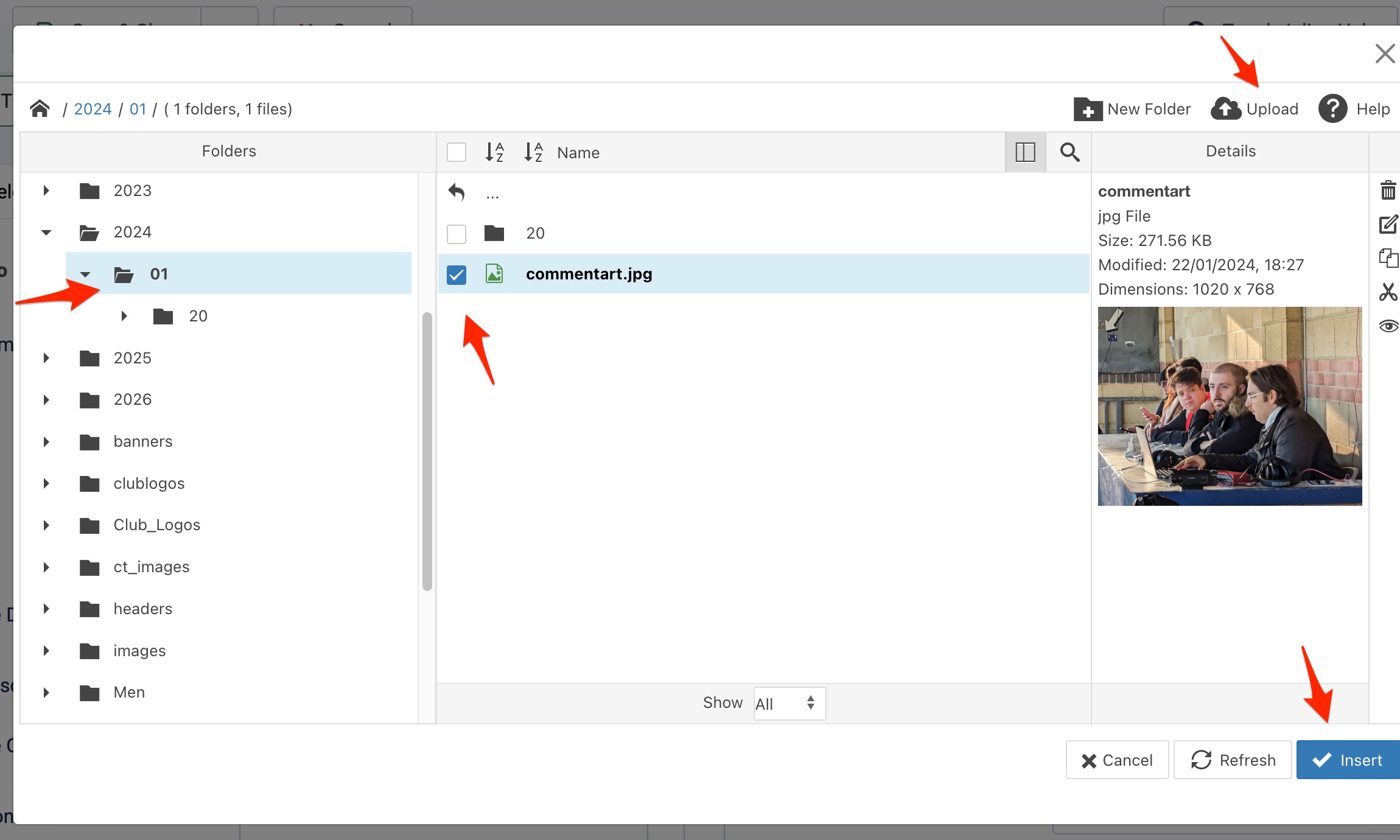
Once all that is done you can save the article and it will be published.
IMPORTANT! When you have uploaded an image, please check the front end of the website to make sure it looks OK. Landscape images work best. Try and avoid square and portrait images for thumbnails. If the image looks bad, please choose another one.
Address
Champion Hill Stadium,
Edgar Kail Way,
East Dulwich,
London.
SE22 8BD.
Information
Social Media